Bison & Flex · plugin for JetBrains IDEs
Your grammar and your scanner, as real languages.
Bison/Yacc grammars (.y, .yy) and Flex/Lex scanners
(.l, .ll) get colors, syntax errors, a Structure view,
go to definition and rename within a file, in CLion and other JetBrains IDEs. Made for C and C++
developers who write parsers and lexers.
Free: colors, errors, folding, the Structure view, and go to definition, find usages and rename within a file. Pro (30-day free trial): your grammar and scanner, connected. Jump and rename tokens across both files, plus warnings for undefined and unused names.
What you can do
Without a plugin the IDE opens these files as plain text. With Bison & Flex they behave like the rest of your code.
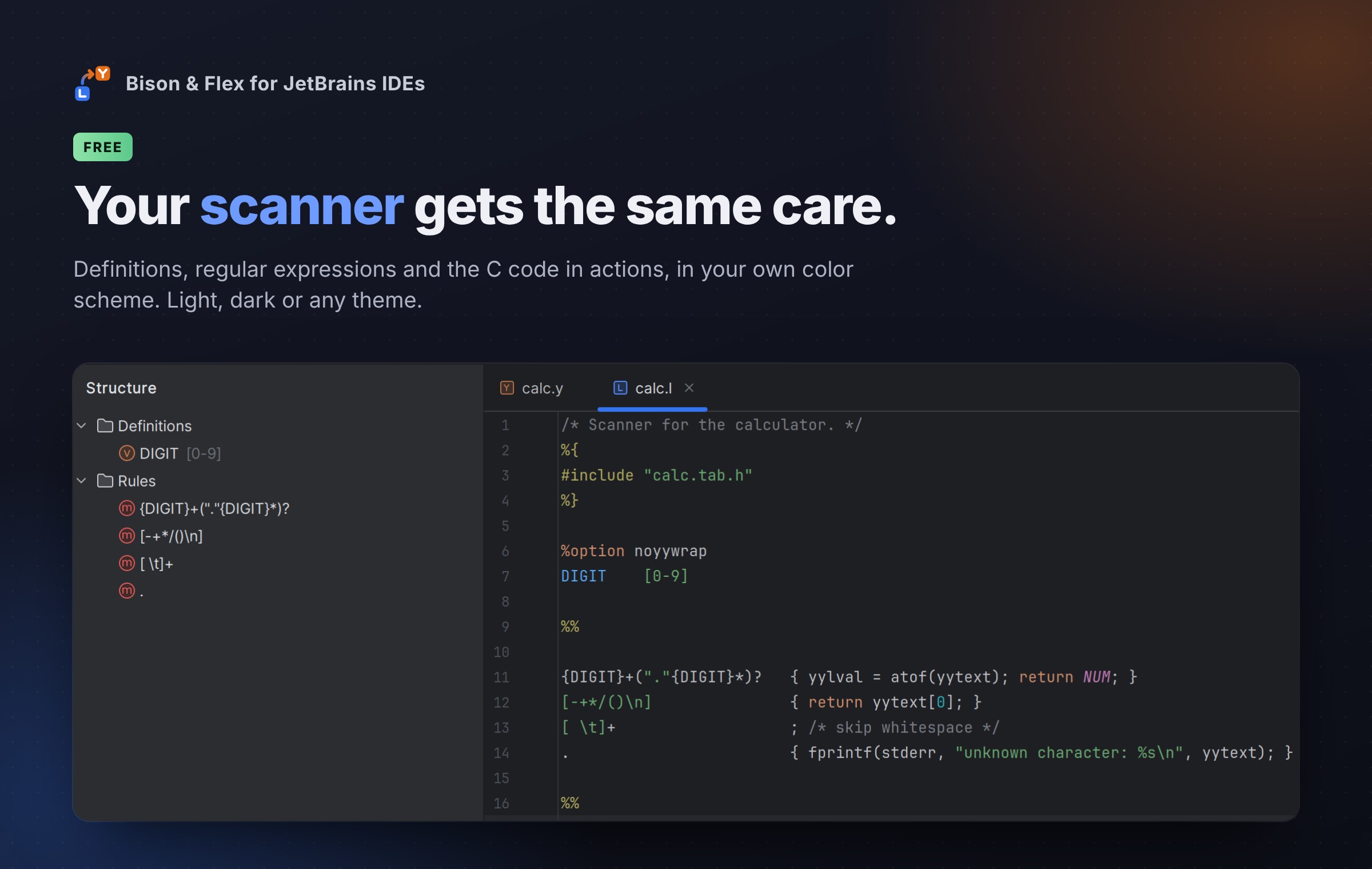
- Read it at a glance. Directives, tokens, rules, start conditions and regular expressions each get a color from your color scheme, in light, dark and any theme. You can change them under Settings, Editor, Color Scheme.
- C code in actions. Keywords, strings, comments and
$$,$1,@1are highlighted inside{ ... }. - See mistakes while you type. Syntax errors in the grammar and the scanner are marked in the editor.
- Find your way. Fold rules and code blocks, and open the Structure view to see every rule, token and definition.
- Jump and rename. Go to definition, find usages and rename a rule, token or start condition within a file.
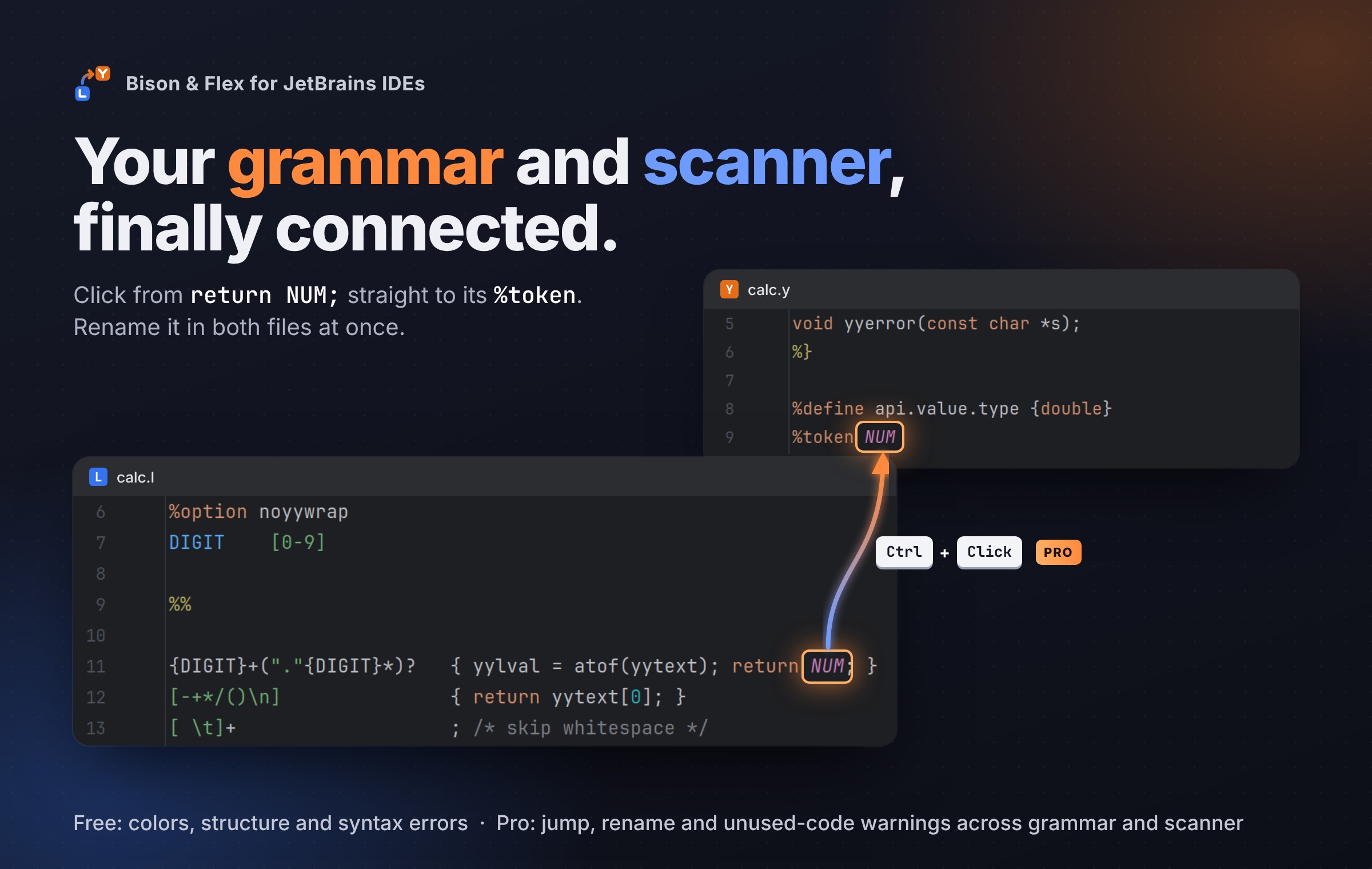
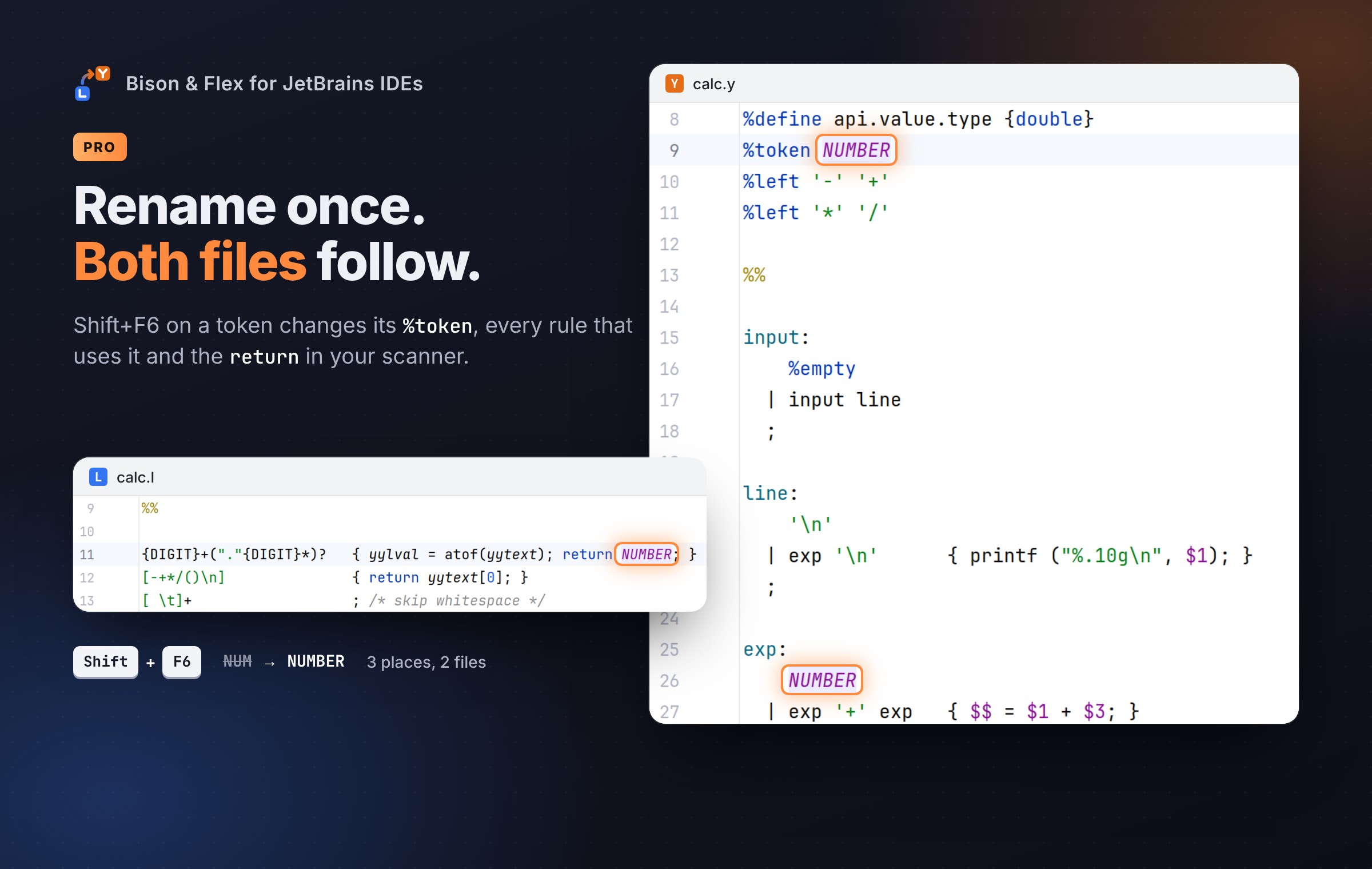
- Grammar and scanner together (Pro). Jump from a token in the
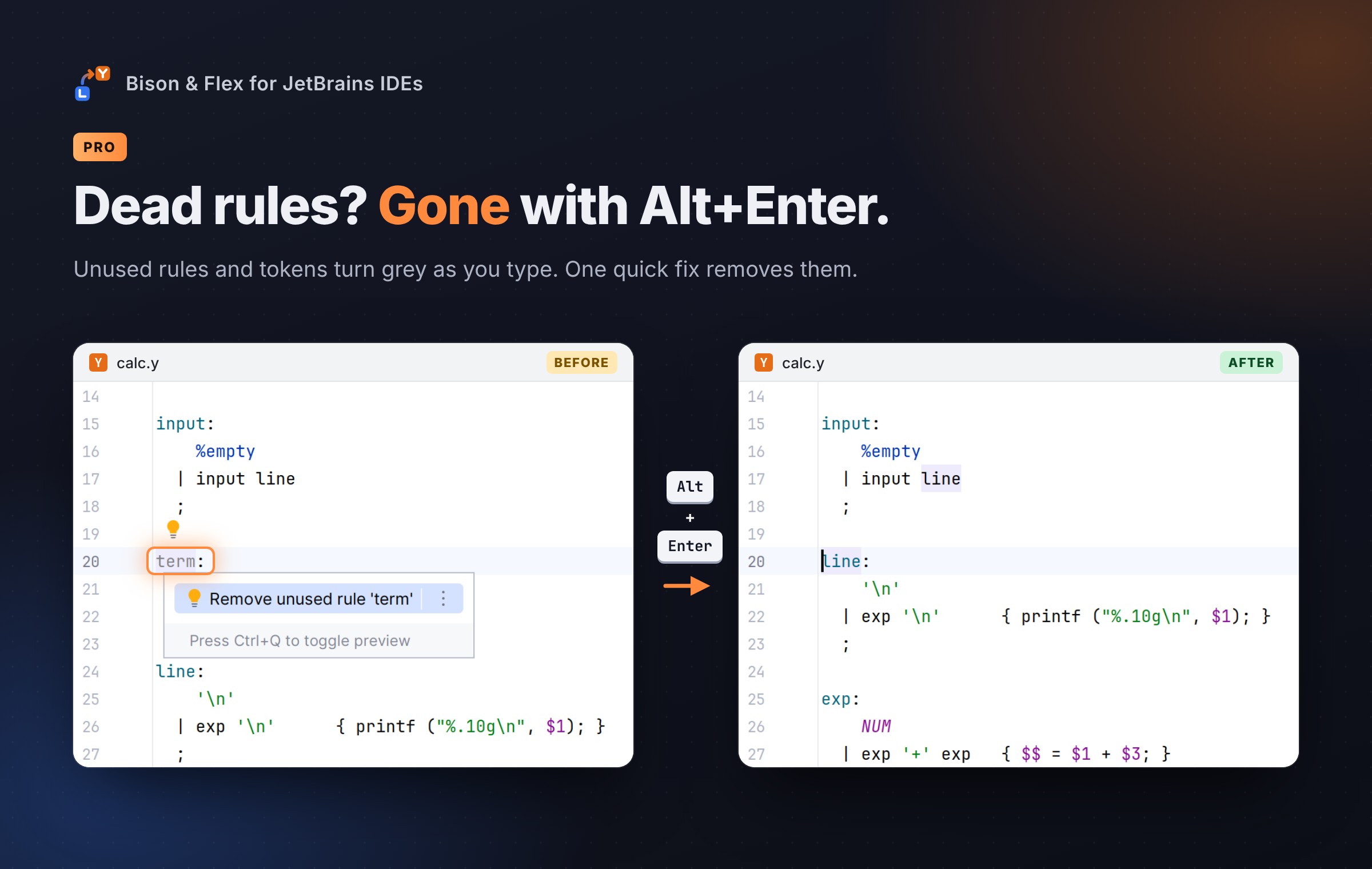
.lscanner to its%tokenin the.ygrammar, and find or rename a token in both files at once. Renaming a token that your scanner also uses changes both files, so it needs Pro. - Warnings for loose ends (Pro). A symbol in a rule that is neither a rule nor a token, a rule or token nothing uses (your scanner counts too), and start conditions that are undeclared or never used are flagged in the editor. A quick fix removes the unused ones.
Free and Pro
Colors, errors, folding, the Structure view and navigation inside a file are free, and keep working after the trial. Pro adds the features that work across grammar and scanner, including renaming a token that both files use, and the warnings for undefined and unused names. It comes with a 30-day free trial through your JetBrains account: start it from the Pro notice in the IDE, or under Help, Register. No sign-up with us.
Pro costs $19 (€19) a year for individuals and $49 (€49) a year for companies, plus VAT where it applies. You buy it from JetBrains, the same way as an IDE license; JetBrains handles payment and invoices. The price on JetBrains Marketplace is the one that counts.
Install
Open Settings, Plugins, Marketplace, search for Bison & Flex and press Install, or
install it from its Marketplace page. If another plugin for .y files is installed, turn that one off,
so the IDE uses one plugin for these files.
- Files
.y.yy.l.ll- Works in
- CLion, IntelliJ IDEA and other JetBrains IDEs, version 2025.2 and later
- Price
- Free. Pro from $19 a year after a 30-day trial
- License
- End user license agreement
Privacy
Bison & Flex has no telemetry and sends nothing to Dortus. It reads the .y and .l
files in your project to color them and to find rules and tokens. Files are only
changed when you rename something or apply a quick fix yourself.
Licenses and trials go through JetBrains: the IDE checks your license with your JetBrains account, the same way it does for the IDE itself. JetBrains processes that data under its own privacy policy. JetBrains handles payment and invoices. If JetBrains shares buyer details with us as the seller, or you email us, we use them only for your license and for support.
Updates by email
One short email when Bison & Flex gets a new version or Dortus releases a new tool. Nothing else, and you can unsubscribe in one click.
You will get one email to confirm. Your address is kept by Kit, our mail service, and only used for these emails.
Support
A question, an idea or a bug? Write to
thijs@dortus.com. Please add your IDE version
and, if you can, a small .y or .l file that shows the problem.