Guide · Confluence Cloud
Mermaid diagram examples for Confluence: copy and paste
Twelve short Mermaid examples, one per diagram type, each with a line on when to use it. Copy one, change the labels, and paste it wherever your Confluence site draws Mermaid. We rendered every example with Mermaid before publishing this page; the picture under each example shows the result.
Jump to: flowchart, sequence diagram, class diagram, state diagram, ER diagram, Gantt chart, pie chart, mindmap, timeline, user journey, git graph, quadrant chart.
1. Flowchart
For a process with decisions and branches, such as an approval, a runbook or a support escalation.
flowchart TD
    A[Request received] --> B{Approved?}
    B -- Yes --> C[Order the item]
    B -- No --> D[Tell the requester why]
    C --> E[Close the request]
    D --> E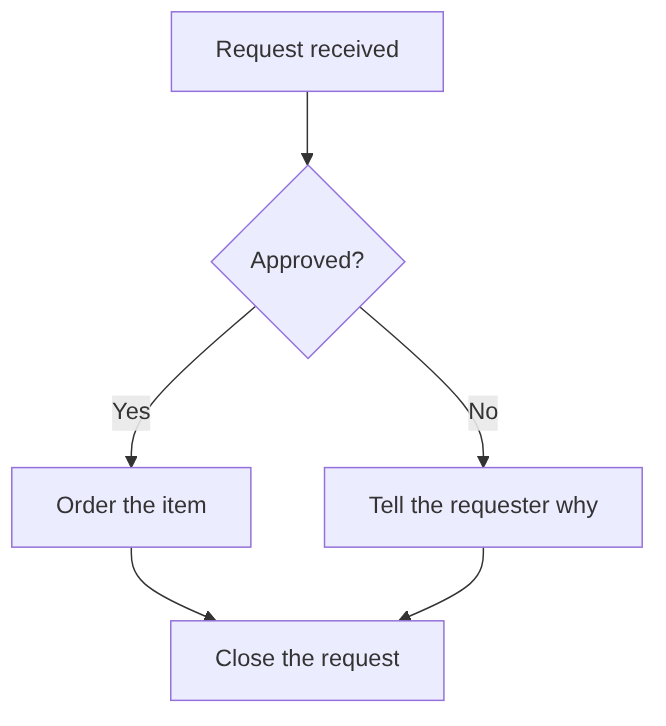
2. Sequence diagram
For who talks to whom, in order: an integration, an API call or a handover between teams.
sequenceDiagram
    actor User
    participant App
    participant API
    User->>App: Clicks "Save"
    App->>API: POST /pages
    API-->>App: 201 Created
    App-->>User: Shows "Saved"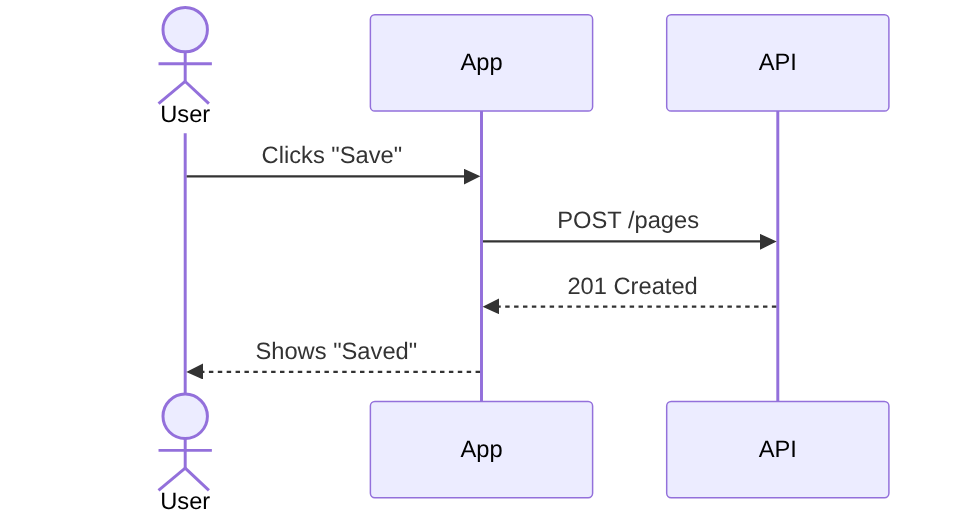
3. Class diagram
For the objects in a system, their fields and how they relate, when you document a data model or code structure.
classDiagram
    class Customer {
        +String name
        +String email
        +placeOrder()
    }
    class Order {
        +int id
        +Date created
        +total() float
    }
    class OrderLine {
        +String product
        +int quantity
    }
    Customer "1" --> "*" Order : places
    Order "1" *-- "1..*" OrderLine : contains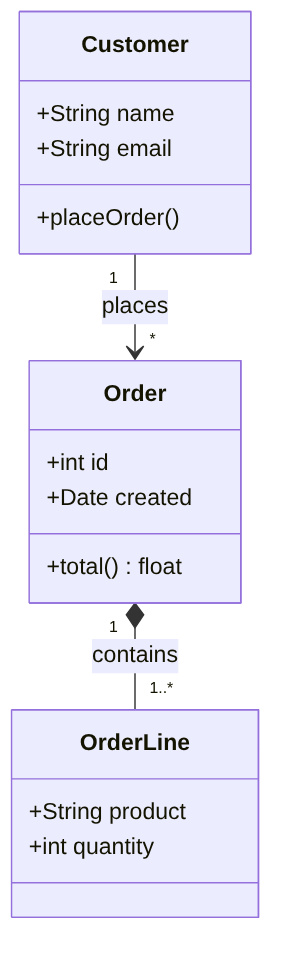
4. State diagram
For the statuses something moves through, such as a document, a ticket or an order, and what moves it on.
stateDiagram-v2
    [*] --> Draft
    Draft --> InReview : submit
    InReview --> Draft : changes requested
    InReview --> Published : approve
    Published --> Archived : retire
    Archived --> [*]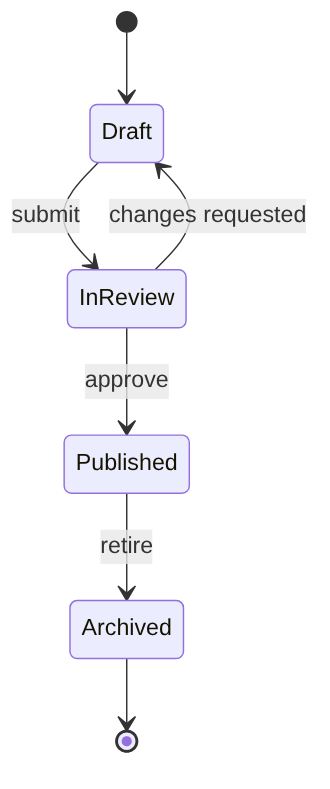
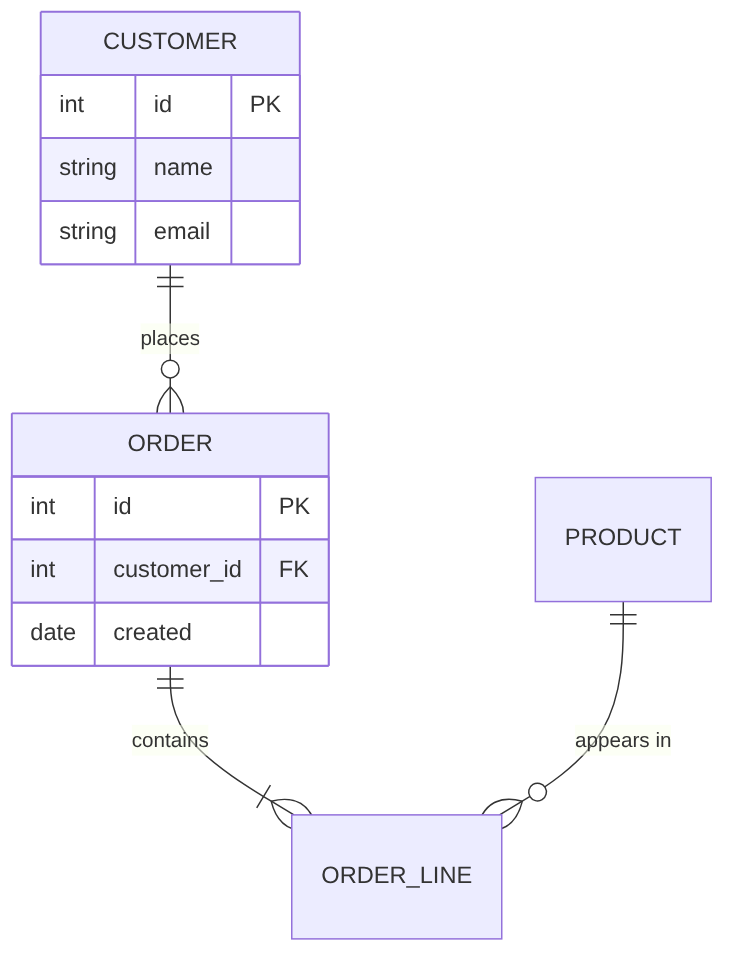
5. Entity relationship (ER) diagram
For database tables, their columns and how they link, when you describe a schema.
erDiagram
    CUSTOMER ||--o{ ORDER : places
    ORDER ||--|{ ORDER_LINE : contains
    PRODUCT ||--o{ ORDER_LINE : "appears in"
    CUSTOMER {
        int id PK
        string name
        string email
    }
    ORDER {
        int id PK
        int customer_id FK
        date created
    }
6. Gantt chart
For a project plan with tasks, durations and dependencies that you want to change as text.
gantt
    title Website relaunch
    dateFormat YYYY-MM-DD
    section Design
    Wireframes        :a1, 2026-11-02, 5d
    Visual design     :a2, after a1, 7d
    section Build
    Templates         :b1, after a2, 10d
    Content migration :b2, after a2, 8d
    section Launch
    Go live           :milestone, m1, after b1, 0d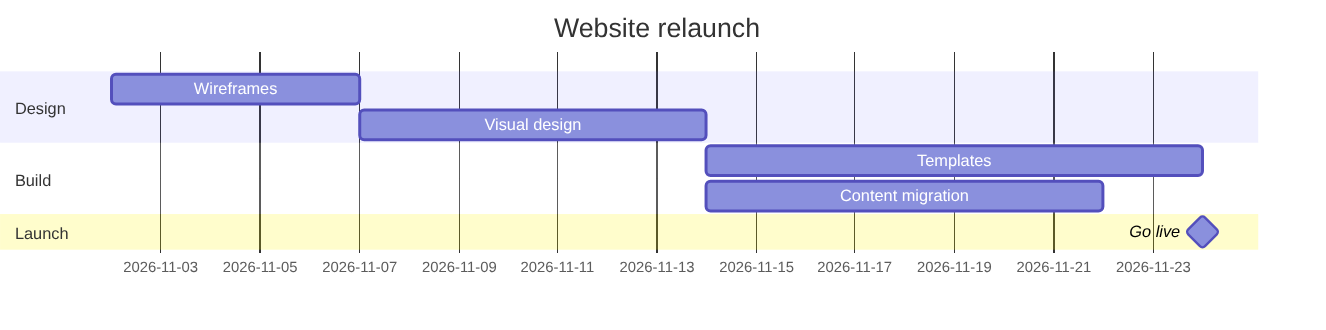
7. Pie chart
For a share of a whole with a few categories, such as tickets per channel.
pie title Support tickets by channel
    "Email" : 48
    "Portal" : 31
    "Chat" : 15
    "Phone" : 6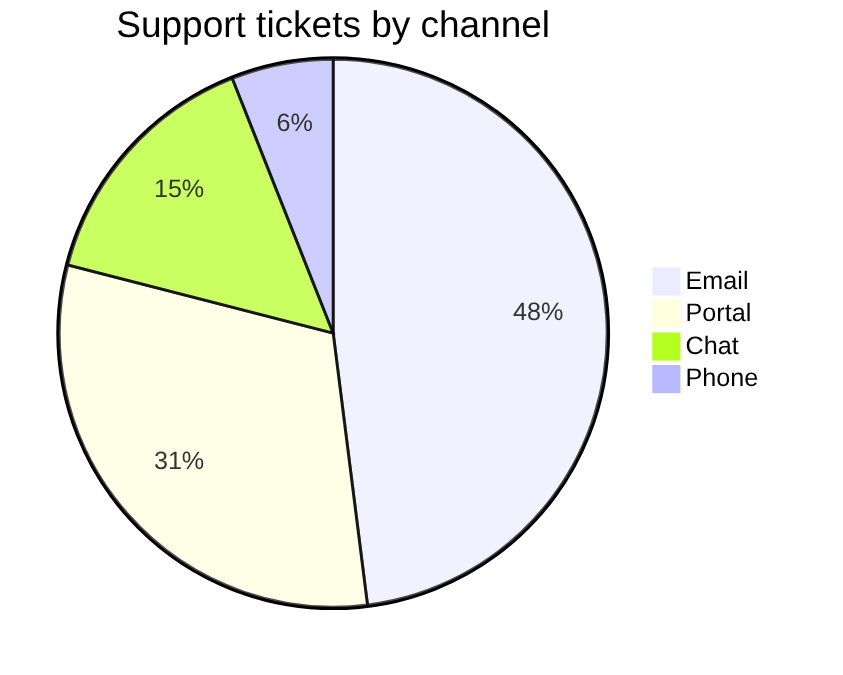
8. Mindmap
For ideas around one topic, in a workshop or a planning page. Indentation sets the levels.
mindmap
  root((Team offsite))
    Agenda
      Retrospective
      Roadmap
    Logistics
      Venue
      Travel
    Social
      Dinner
      Workshop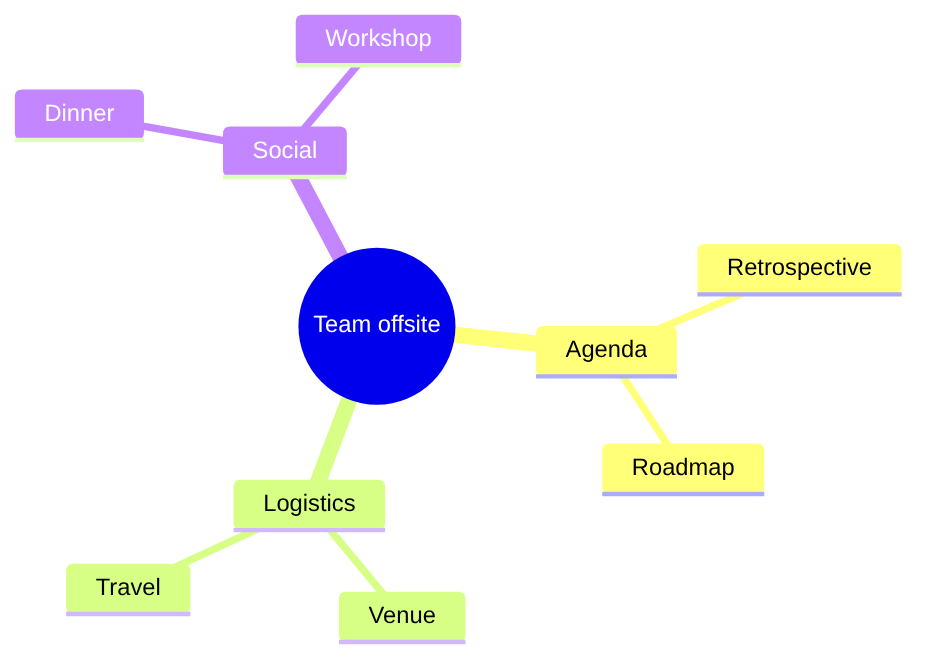
9. Timeline
For phases and milestones over time, such as a product history or a roadmap overview.
timeline
    title Product history
    2024 : Idea : First prototype
    2025 : Beta with five teams
    2026 : General availability : First 100 customers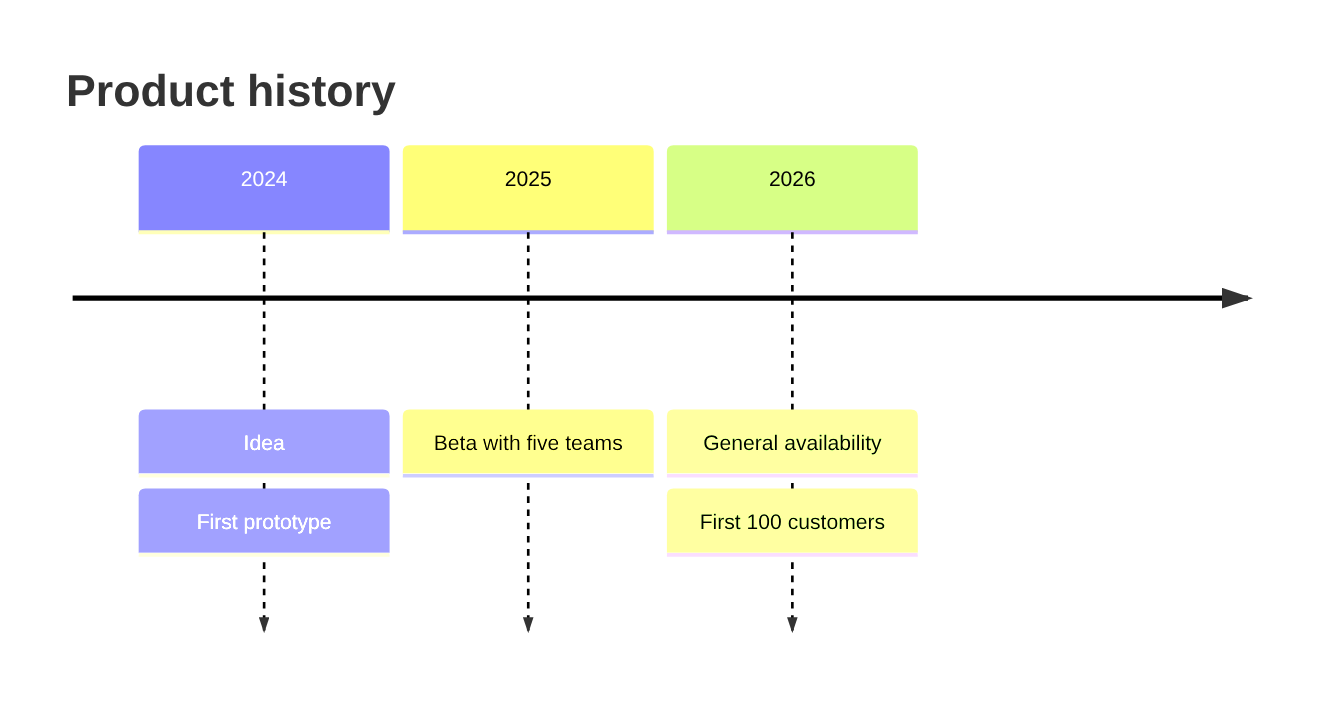
10. User journey
For the steps a person goes through, with a score from 1 to 5 per step and who is involved.
journey
    title New employee, first day
    section Morning
      Collect laptop: 3: Employee, IT
      Log in to all tools: 2: Employee
    section Afternoon
      Meet the team: 5: Employee, Manager
      Read onboarding pages: 4: Employee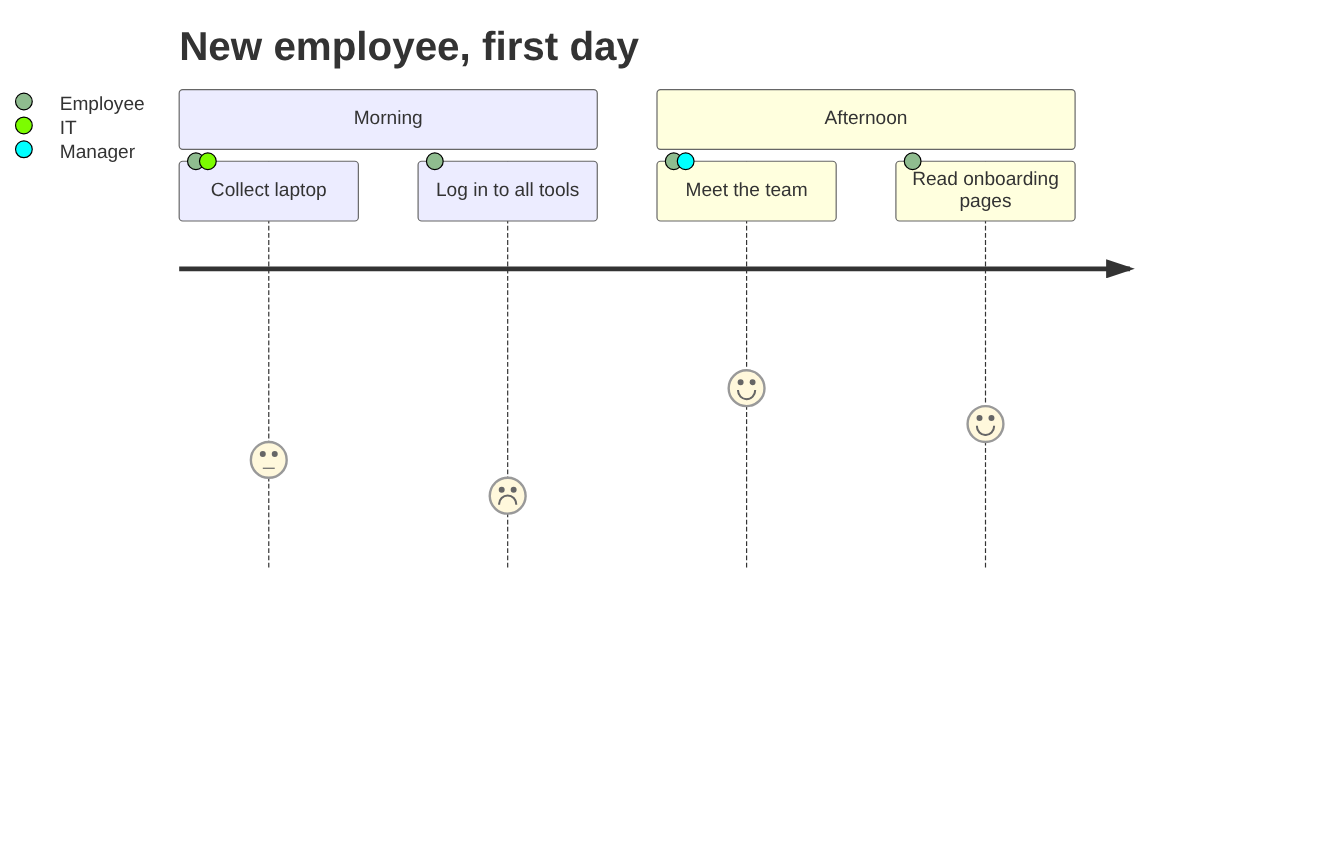
11. Git graph
For explaining a branching strategy: branches, commits and merges.
gitGraph
    commit id: "Initial"
    branch feature/login
    checkout feature/login
    commit id: "Add form"
    commit id: "Add tests"
    checkout main
    commit id: "Fix typo"
    merge feature/login
    commit id: "Release 1.0"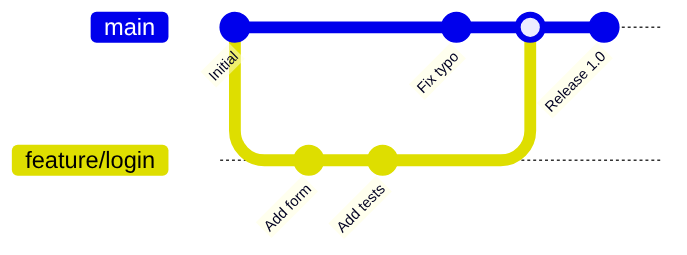
12. Quadrant chart
For placing items on two axes, such as effort against impact for a backlog. Values run from 0 to 1.
quadrantChart
    title Backlog: effort vs impact
    x-axis Low effort --> High effort
    y-axis Low impact --> High impact
    quadrant-1 Plan carefully
    quadrant-2 Do first
    quadrant-3 Fill-ins
    quadrant-4 Avoid
    Single sign-on: [0.75, 0.85]
    Dark mode: [0.30, 0.40]
    Export to CSV: [0.20, 0.70]
    Rewrite backend: [0.90, 0.30]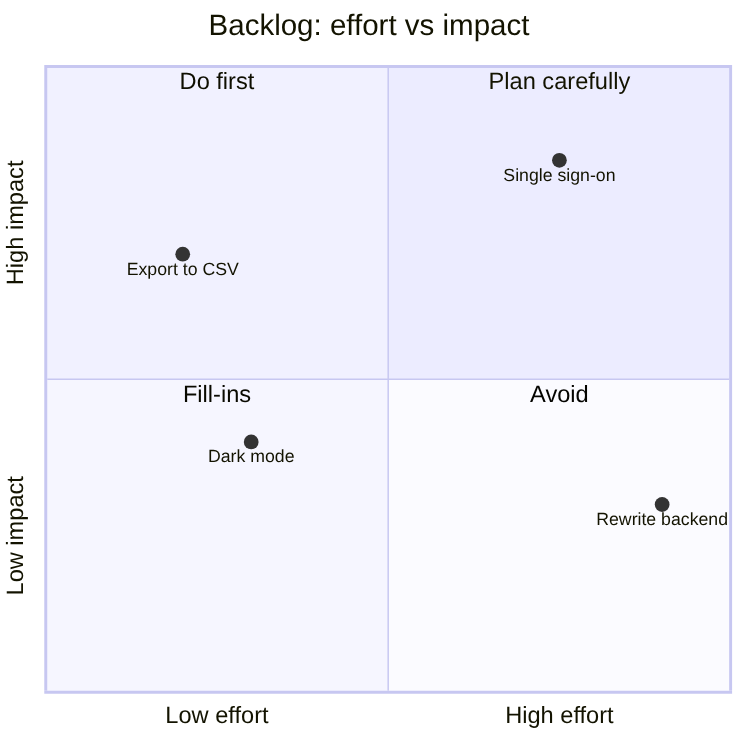
Getting these diagrams into Confluence
Confluence Cloud does not draw Mermaid on its own: pasted code stays a code block. How to add Mermaid diagrams to Confluence Cloud compares the options, from an exported image to a macro. Full disclosure: Dortus makes one of those macros, Mermaid Live Preview. You paste an example on the left, see the diagram on the right while you change it, and the code stays editable in the page. It is on the Atlassian Marketplace.
Questions
An example that does not render for you, or a diagram type you miss? Email support@dortus.com.
See also: How to add Mermaid diagrams to Confluence Cloud (including diagrams from ChatGPT or Claude)